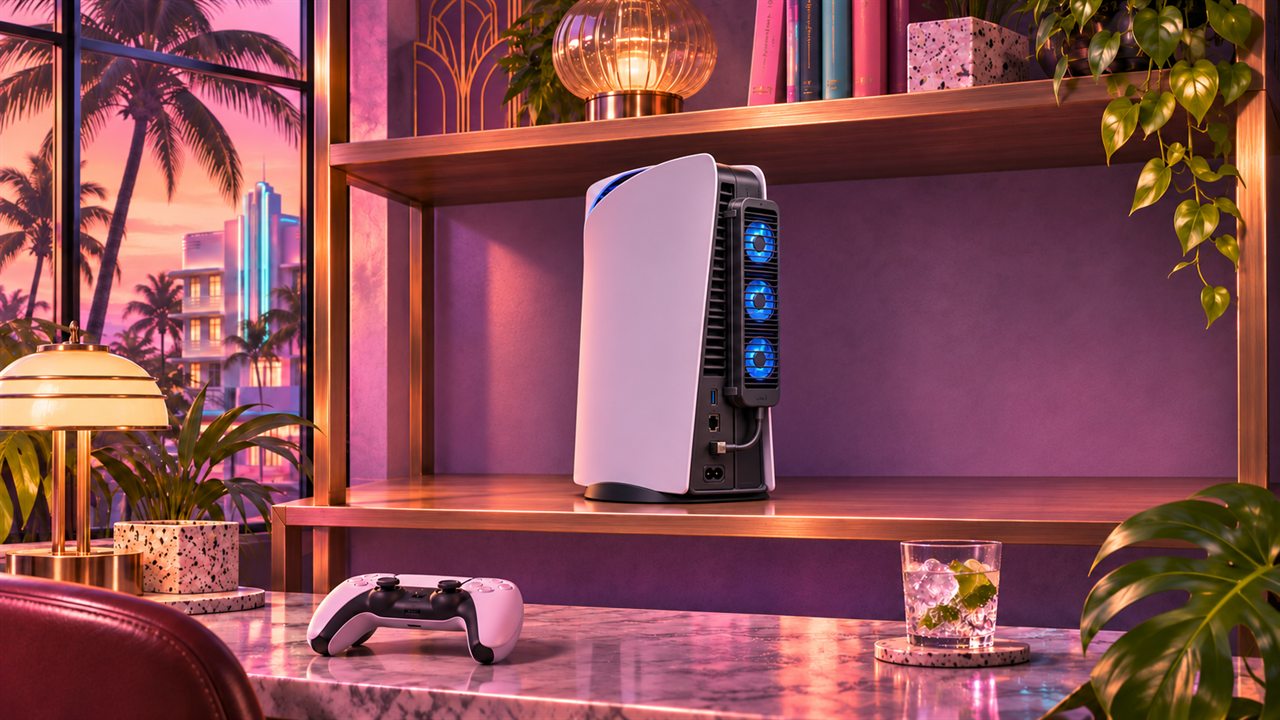
Start with the space around the console
Before a long session, look at where your PS5 sits. A narrow shelf, an outlet pressed against furniture or dusty vents can make heat removal harder. Correcting placement is more direct than adding accessories without identifying the problem.
Sony recommends at least 10 cm of clearance around each side, avoiding cramped spaces and long-pile carpet. Use a firm surface and the support or feet for your model. Fabric covers and other objects must not cover openings during play.
Exterior cleaning matters too. Disconnect power first; Sony recommends a low-powered vacuum for the vents. This guide does not propose processor-heatsink removal or liquid-metal work. Consult model instructions or support if user maintenance cannot address the dirt.
These sources do not establish that GTA VI will overheat all PS5s. Prepare a properly ventilated console and address faults that already exist. Louder internal fan operation in some games can be normal; temperature warnings or repeated shutdowns need further attention.
Five coolers that connect to the console
These accessories attach around the console’s rear and use small USB-powered fans. They are a different category from furniture ventilation or SSD heatsinks. Their advertised purpose is to move air around the console exhaust, but fan count and lighting do not establish an internal temperature benefit.
Start with fit: identify original PS5, Slim or Pro and check the exact product variant before comparing extras. The five candidates below cover this accessory category; we do not have sufficient independent tests to rank effectiveness or establish that every option improves thermal behaviour.
PS5 Slim rear USB cooler · AliExpress
This is the accessory type in the supplied image: a clip-on PS5 Slim rear unit with three small fans, lighting and USB connection. The supplied screenshot shows 4.8/5 from 706 ratings; we could not verify that figure or the brand on the live listing. Select the precise Slim variant and check fit, connectors and returns. Original PS5 and Pro compatibility is not established.
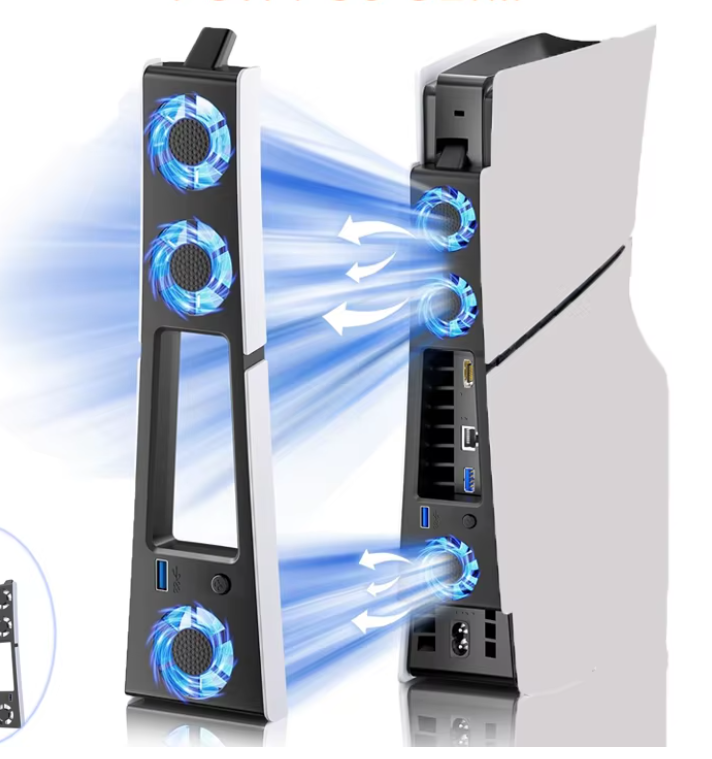
Product image supplied by the reader. Advertising arrows are illustrative, not our measurements. Open full-size diagram ↗ KIWIHOME Cooling Fan for PS5 Slim · four fans
The brand lists PS5 Slim Disc and Digital compatibility, console USB power and a passthrough USB port. Its button controls operation; the maker lists vertical and horizontal use and excludes the original 2020 PS5. The consulted store shows only one review, which is not a broad evidence base.
NACON Cooling Fan for PS5 Slim
The manual identifies a PS5 Slim accessory for Disc and Digital models, with a fixing hook, three fans, USB connection and switch. It provides identifiable installation instructions to inspect before purchase. The documented fit is Slim, not automatically original PS5 or Pro.
SCRY Artic S · PS5 Slim version
This is the maker’s PS5 Slim variant in its clip-on cooler family. Check the full order name: Artic S, Artic Pro and original-PS5 versions are different products. Performance or intelligent-control claims belong to the seller and are not independent measurements of your console processor.
SCRY Artic Pro · PS5 Pro version
The maker presents this version specifically for PS5 Pro. It is a candidate for the same rear-cooler concept on that console, not a substitute for a Slim model. Confirm availability, power requirements and returns. We have not tested whether it lowers temperatures more than the other options.
Check installation and operation
Follow the accessory manual without forcing USB connectors or clips. Check access to the ports you need and leave space behind the complete assembly: a rear cooler does not make a closed cabinet suitable. Identify its power switch and whether power depends on console USB settings.
For a temperature display, establish where the sensor measures. Exhaust-air temperature is not processor temperature. A displayed number or cooler-feeling air alone does not establish improved cooling inside the console.
Placement and cleaning still come first. Follow any console temperature warning and allow cooling; seek support for repeated warnings or shutdowns. We have not established that these accessories prevent GTA VI-related faults or replace a repair.
Sources & editorial notes
Reviewed November 4, 2026 using the linked listings and NACON manual. We have not tested GTA VI or measured these accessories. These are five candidates, not a thermal-performance or review ranking. AliExpress figures come from a reader-supplied screenshot; its live listing could not be verified. No affiliate links. Original AI-generated illustrative cover; the AliExpress product image was supplied by the reader.
PlayStation · Ventilation and exterior cleaning ↗PS5 Slim rear USB cooler · AliExpress ↗KIWIHOME Cooling Fan for PS5 Slim · four fans ↗NACON Cooling Fan for PS5 Slim ↗SCRY Artic S · PS5 Slim version ↗SCRY Artic Pro · PS5 Pro version ↗Read our editorial standards